WP Legends Live Panel on March 11th: The Line Between Good and Great Agencies

When CheckView runs a test, it submits real form entries and places real test orders on your WooCommerce store. The Disable Form Integrations During Tests setting controls whether your site’s third-party integrations run when that happens.
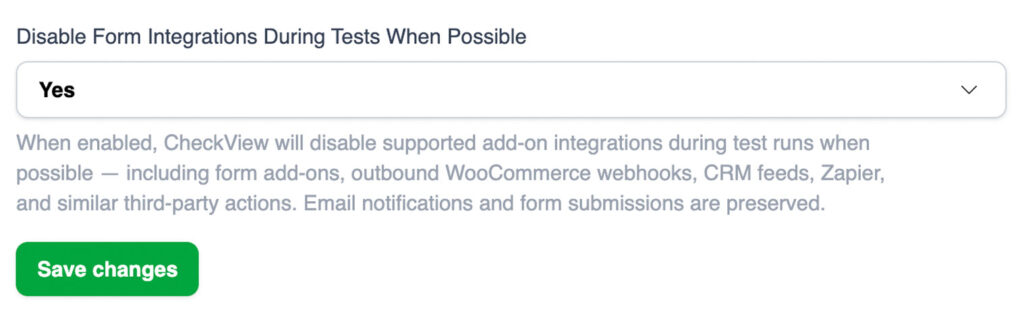
This setting affects integrations such as email marketing (for example Mailchimp), CRM feeds, webhooks, Zapier automations, and shipping services (for example Shippo). When the setting is on, CheckView suppresses these for test submissions and test orders only. Your real visitors and customers are never affected.
For Elementor Pro Forms (classic), CheckView limits the form’s submit actions to email and save-to-database while the setting is on, so any other action configured on the form, such as a webhook, a marketing integration, or a redirect, does not run for the test submission. Save-to-database is kept so CheckView can still verify the submission was stored.
For new organizations, the setting is on by default, which means third-party integrations are disabled during tests. This keeps test submissions and test orders out of your connected tools out of the box. Existing organizations keep whatever setting they already have.
Leave it on (the default) to keep test submissions and test orders out of your connected tools, for example to avoid test contacts in your CRM or shipping labels for test orders. Turn it off when you want to verify your full pipeline from end to end, such as confirming that a test checkout reaches Mailchimp or triggers a Zapier automation.
For WooCommerce checkout tests, when integrations are allowed to run, CheckView leaves the test order in place briefly so your store’s asynchronous webhooks can deliver the real order details to your connected services. The test order is then cleaned up automatically. When the setting is on, those webhooks and integrations are suppressed for the test order. This requires the CheckView helper plugin to be up to date (version 2.1.0 or newer).
The setting is labeled “When Possible” because CheckView suppresses the integrations it can detect, which covers the common ones. Some integrations run through custom methods that CheckView cannot intercept, so they still fire even when the setting is on. Known examples include Jetpack order sync and Klaviyo for WooCommerce. If you need to fully isolate a sensitive integration, you can also run your tests against a staging environment.