
Pricing
Pricing built for businesses of all sizes.
Always know what you pay.
Essentials
Great for small businesses who only need the essentials.
$35
per month- Unlimited websites
- 1 user
- 250 tests
- 30 days of test history
- Form and Custom Tests Only
Plus
Perfect for businesses who have stricter test requirements.
$70
per month- Unlimited websites
- 3 users
- 1,000 tests
- 60 days of test history
- WooCommerce Support
Advanced
Ideal for businesses who have many sites needing testing.
$110
per month- Unlimited websites
- 10 users
- 2,000 tests
- 90 days of test history
- WooCommerce Support
Essentials
Great for small businesses who only need the essentials.
$359.88
Annual Saves 14% More- Unlimited websites
- 1 user
- 250 tests
- 30 days of test history
- Form and Custom Tests Only
Plus
Perfect for businesses who have stricter test requirements.
$719.88
Annual Saves 14% More- Unlimited websites
- 3 users
- 1,000 tests
- 60 days of test history
- WooCommerce Support
Advanced
Ideal for businesses who have many sites needing testing.
$1,079.88
Annual Saves 14% More- Unlimited websites
- 10 users
- 2,000 tests
- 90 days of test history
- WooCommerce Support
Plan Calculator
Fill out our interactive form to help you determine which plan is best for you.
840 tests/month
Use the fields to the right to help you determine which plan is right for you.
What’s Included
Detailed features across every available plan.
| Feature | Essentials | Plus | Advanced |
|---|---|---|---|
| No-code form testing | |||
| Unlimited websites | |||
| Step editor | |||
| Custom test flows | |||
| Daily test scheduling | |||
| Weekly test scheduling | |||
| Monthly test scheduling | |||
| Email notifications | |||
| Slack notifications | |||
| AI failure summaries | |||
| REST API access | |||
| WooCommerce testing | |||
| Weekly email reports | |||
| Monthly email reports | |||
| Organization variables | |||
| Priority support | |||
| UX audit reports (Beta) | 3 per month | 10 per month | 25 per month |
| Choose a plan | Sign up | Sign up | Sign up |
All plans subject to 10 minute limit per test.
No Code WordPress Testing to the Rescue
For the whole team
The WordPress automation testing platform built for your whole team
- Simple, codeless form testing solution for your WordPress forms and Woo checkout
- Beginner-friendly testing without WordPress development or coding expertise
- Flexible scheduling and continuous monitoring of your WordPress forms allow you to catch bugs before your customers do
- Pay as you go, no nonsense plans based on the actual tests ran each month
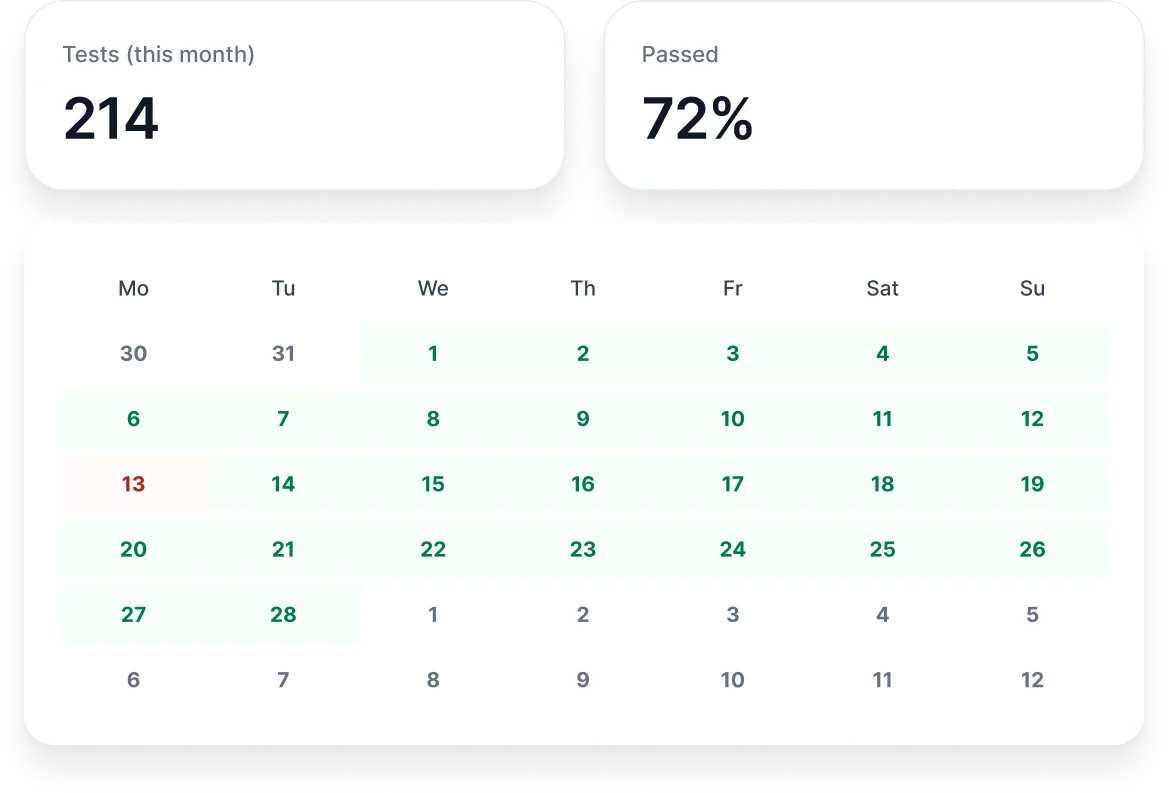
WordPress testing in minutes, not hours
Save hours in configuration compared to other solutions – focus on your business growth instead
- Automatic detection of your plugins and URLs so you seamlessly select the forms and checkout you wish to test
- Ditch unreliable, repetitive manual steps, one-click testing setup for your WooCommerce checkout
- Smart logic supports WooCommerce and most WordPress forms configurations out of the box
- Built-in test flow step editor allows for tweaking to your custom setup or theme
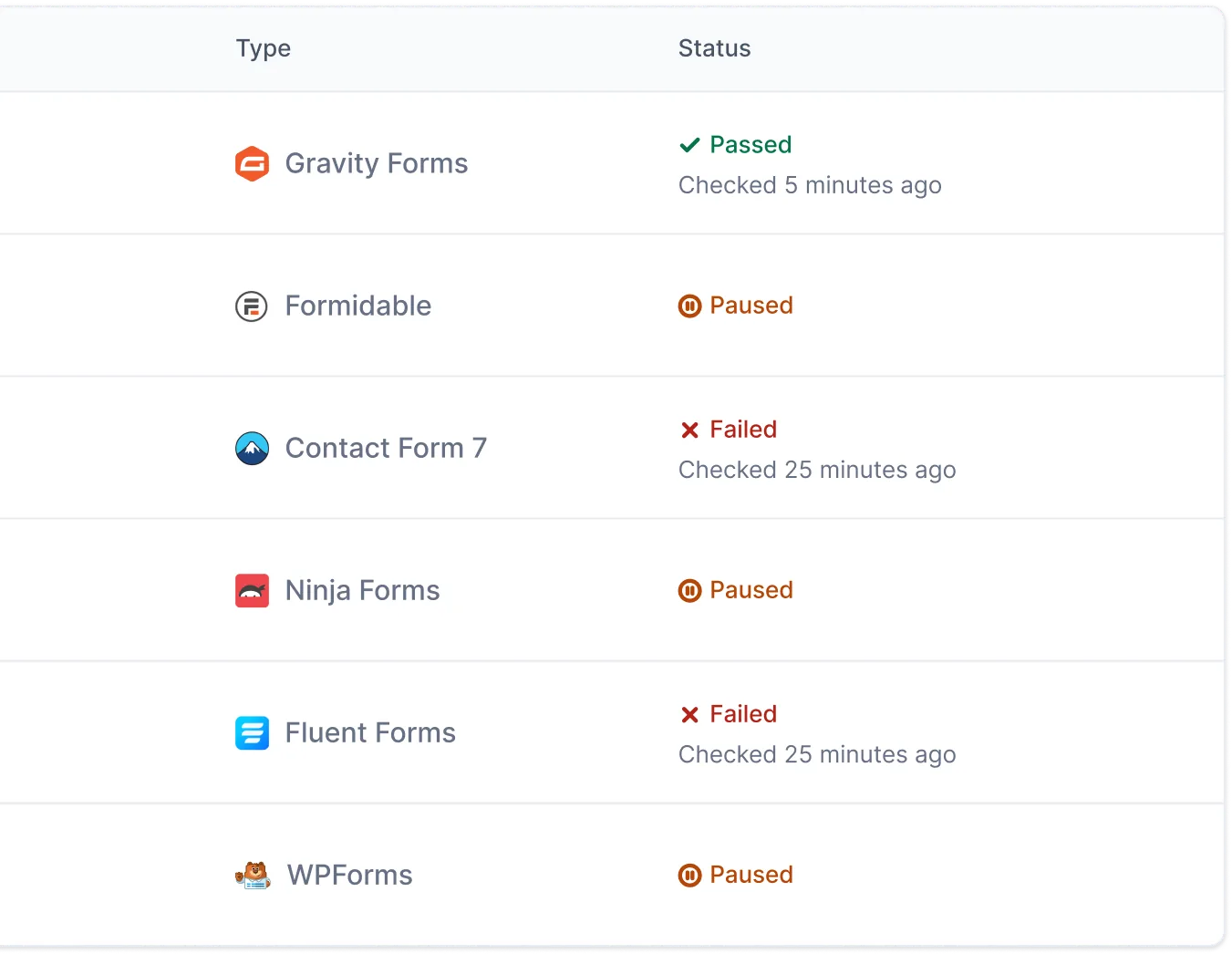
If anything breaks, be the first to know
Don’t lose sleep worrying about your forms and checkout. Get alerted as soon as trouble arises.
- Get notified instantly when something fails via email, Slack, webhook or API
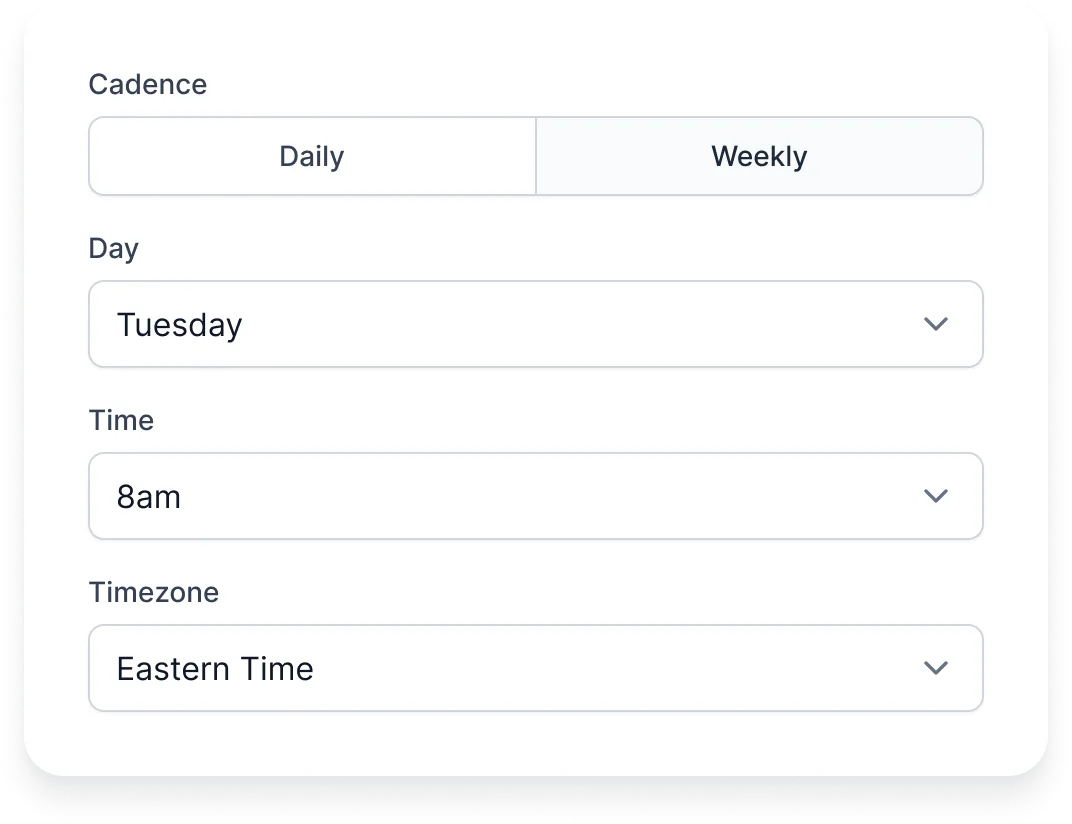
- Daily, weekly or monthly testing schedules ensures your WordPress forms and checkout are constantly checked
- Screenshots and video recording of each test so you can find and resolve the exact issue quickly
- AI analysis, console logs and step by step testing details give you the data you need to get back up and running quickly
FAQs
Everything you need to know about the product and billing. Can’t find the answer you’re looking for? Please chat to our friendly team.
What is CheckView?
CheckView is a nocode, automated browser testing platform to constantly and reliably monitor if your WordPress forms and WooCommerce checkout are working properly.
Why should I use CheckView?
Ensure your marketing and website dollars are not being wasted on inconsistent forms and checkout that fail to deliver sales. Get notified as soon as there is a problem with a form or checkout so you can focus on your business, not worrying if your website is broken.
How do I sign up for CheckView?
Simply visit our signup page and create an account. Once you activate your subscription, you can connect your WordPress site and start testing your forms and checkout right away.
How do I get started?
Sign up for an account, install the CheckView helper plugin on your WordPress site, and create your first test flow. CheckView will automatically detect your form plugins and URLs to get you testing in minutes.
Who can use CheckView?
Anyone who runs or manages WordPress or Woo sites where the primary driver behind the site is lead forms or e-commerce orders. It’s especially helpful for website owners and digital agencies – but anyone who relies on WordPress forms or Woo to drive sales can benefit from using this tool!
Which websites does CheckView work with?
CheckView works with WordPress and WooCommerce sites running the most popular form plugins including Gravity Forms, WPForms, Fluent Forms, Contact Form 7, Ninja Forms, WS Form, Formidable Forms, Forminator, Elementor and WooCommerce. Custom test flows can also be created for other form plugins or custom-built forms.
Do you provide documentation and tutorials?
Yes! We have comprehensive documentation covering getting started guides, features and settings, common scenarios, and troubleshooting. Visit our documentation to learn more.
Are there any integrations available?
Yes! CheckView supports Slack notifications and webhook integrations, allowing you to receive test alerts in your preferred tools and integrate with CI/CD pipelines.
Do you plan on adding more features in the future?
Yes! CheckView is going to grow its feature set for years to come with the ultimate goal of testing your WordPress site as thoroughly as possible and reduce any risks associated with your website breaking.
Do you provide any support?
Of course. We can help you out with any question related to CheckView. Customer support is available within our platform for all users.
Can I test the same form on multiple URLs?
Yes! You can set what URLs are tested with each form and then our automated browser testing tool will test each URL.
Will testing forms or checkout slow down the website?
No, our testing tool is built to limit the requests on your website when running tests. All testing is done on our own Cloud platform, not your website’s server or database.
How does CheckView protect my privacy?
CheckView limits what data we collect to what is only necessary on both our platform and on your website.
Do you have an API?
Yes, the REST API is included on all plans. Generate tokens from Organization Settings > API Tokens. Rate limits and usage details are documented in our API docs.
Can I use CheckView with Claude, Codex or other AI agents?
Yes. Our robust API and MCP tools let you use the agent of your choice to create and manage tests while integrating with your existing systems and workflows. Learn more.
Stop Losing Revenue to Broken Websites
CheckView helps businesses and agencies catch website issues before they cost leads, sales, and client trust.
Stay up to date
Product updates, testing tips, and the occasional deal. No spam, unsubscribe any time.