
AI Test Failure Summaries
When a test fails or a test flow setup encounters an error, CheckView can generate an AI-powered summary that explains what went wrong in plain language. Instead of manually reviewing step-by-step results, click one button to get observations, a likely root cause, and suggested next steps.
How to Access
On any failed test or setup error page, look for the “Get detailed analysis →” button in the error card. Click it to generate an AI summary powered by Google Gemini.
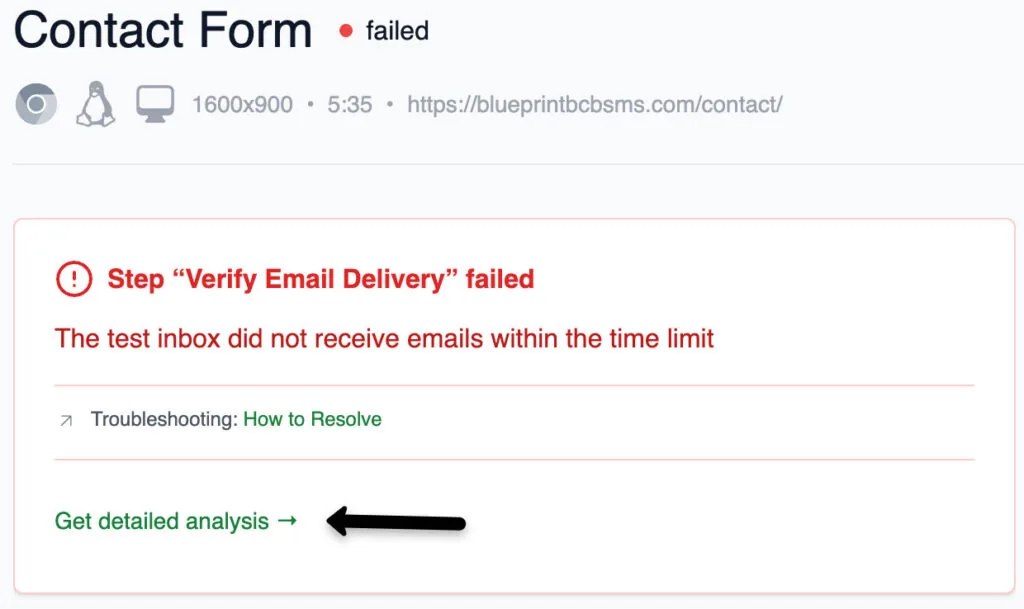
The button appears on:
- Test details page – when a test run has failed
- Setup error page – when test flow setup encountered an error
On successful tests, the button shows a brief confirmation (“All steps executed as expected”) rather than a full AI analysis.
What the Summary Includes
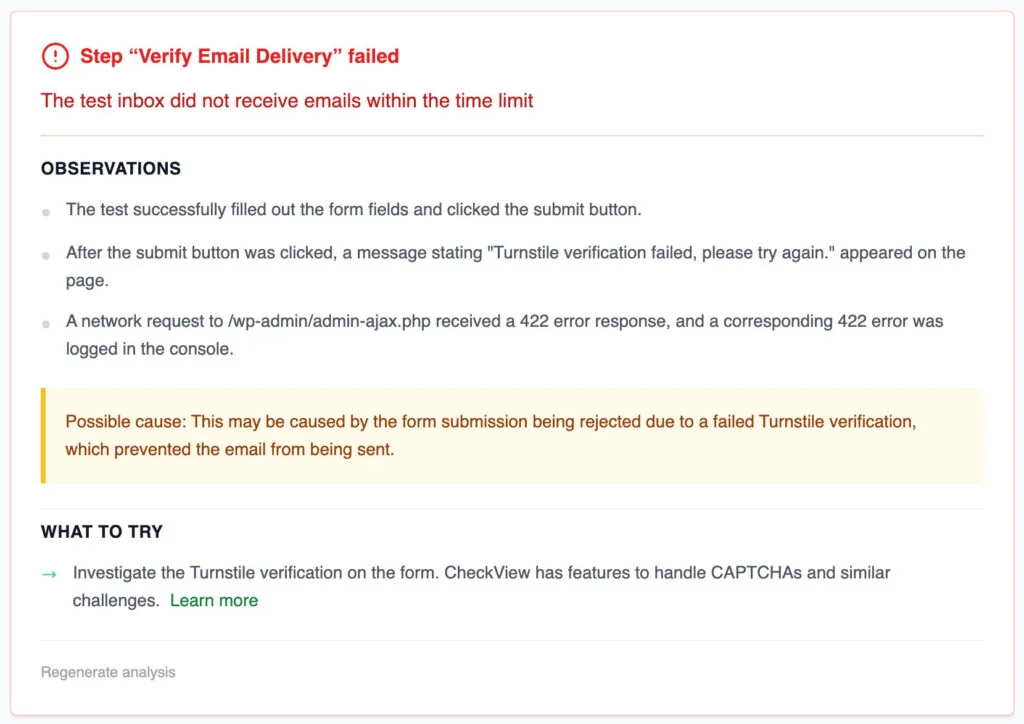
Each AI summary contains:
- Observations – specific things the AI noticed in the test results (e.g., “Element not found at step 3”, “Network error on form submission”)
- Possible Cause – the most likely root cause of the failure
- Suggested Actions – actionable next steps, often with links to relevant help articles
- Confidence Indicator – when the AI has low confidence in its analysis, it will say so and explain why (e.g., timeout during analysis, limited data available)
Caching
AI summaries are cached based on the failure pattern. If multiple tests fail in the same way (same step, same error type, same website), the cached summary is reused instantly instead of calling the AI again. This makes repeated lookups fast and free.
Regenerating a Summary
Super admins can force-regenerate a cached summary by clicking the “Regenerate analysis” button. This bypasses the cache and runs a fresh AI analysis. Use this if the original summary seems outdated or if the underlying issue has changed.
Tips
- AI summaries work best when the test has screenshots and network logs available – since all tests now record full video and artifacts, this is the default.
- The summary analyzes the test’s screenshot history, console logs, network data, and blocker detection results to provide context-aware analysis.
- If the analysis shows low confidence, try running the test again to get fresh data, then regenerate the summary.