
How to Automatically Test Forminator Forms
Forminator is generous for a free form builder. Multi-step layouts, conditional logic, file uploads, calculations, date and time fields with real restrictions, and a shelf of add-ons for Mailchimp, HubSpot, Google Sheets, webhooks and Zapier all ship in the free plugin. That is why agencies reach for it across a whole portfolio of sites, and why a Forminator form is often doing far more than collecting a name and a message.
Which brings the caveat, and it is not really about Forminator. Your form is the front end of a longer chain. It collects the entry, then hands it to your mail provider, to your DNS records, to whichever add-ons you switched on, and to whatever spam protection sits in front of all of it. Each link is a separate service with its own settings and its own credentials, and each one can change without telling you. The form can be working exactly as designed while something further down the chain quietly stops.
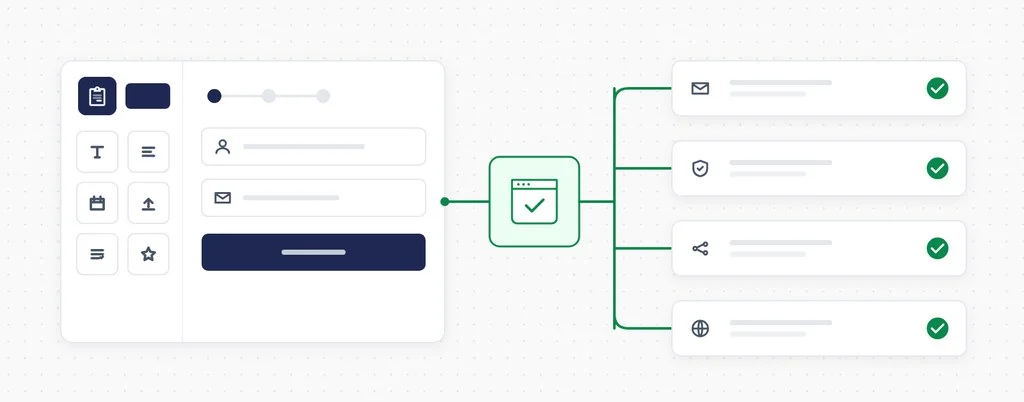
That is where automated testing helps. Instead of confirming the page loads, CheckView fills in your Forminator form, submits it, and confirms the entry actually made it through, on whatever schedule you choose.
As of today, CheckView officially supports Forminator. It joins the form plugins CheckView tests natively, which means it detects your forms, builds the test steps for you, keeps test emails away from your real recipients, and verifies each submission against your database.
What a scheduled form test actually verifies
Whichever builder made the form, these are the things that actually interrupt delivery, and they all sit outside the form itself:
Email delivery. An SMTP plugin’s API key gets rotated, a sending domain’s SPF or DKIM record is edited during unrelated DNS work, or a transactional provider starts filtering your notifications to spam. The form submits perfectly. Nobody gets the email.
CAPTCHA and anti-spam. reCAPTCHA keys get regenerated, a Turnstile widget gets moved to a new Cloudflare account, or a freshly installed security plugin starts scoring real visitors as bots. Every one of those turns a working form into a silent wall.
Everything else on the site. A theme update, a new plugin, or a performance plugin that starts combining JavaScript differently. Multi-step forms and file uploads lean on that JavaScript, so a change that has nothing to do with your form can still break the second step of it.
A scheduled test walks the whole path end to end and tells you the same day if any link in it changes.
What CheckView does on a Forminator test
Point CheckView at a Forminator form and it handles the setup for you:
- Automatic test generation. CheckView detects your Forminator forms, finds the pages they appear on, and builds the steps. Shortcode embeds and block editor embeds both work.
- Real submissions, no real emails. Notification emails are redirected to the CheckView test inbox for the duration of the run, and CC and BCC recipients are stripped. Your team and your clients never see a test entry.
- CAPTCHA handled cleanly. Forminator’s own CAPTCHA field is removed for the CheckView test session only, which covers reCAPTCHA v2 and v3, hCaptcha and Cloudflare Turnstile. Its built-in Akismet check is bypassed the same way. CheckView also handles CleanTalk, hCaptcha for WordPress and Simple Cloudflare Turnstile, and it passes cleanly through honeypot fields and WP Armour without touching them. Your protection stays fully active for every real visitor.
- Add-ons paused during tests. With Disable Form Integrations During Tests turned on, CheckView hides the form’s add-on feeds from the submission, so Mailchimp, webhooks and the rest do not fire for a test entry.
- Verified, then cleaned up. The submission is checked field by field against the values the test entered, with multi-part fields like name, address, date and time checked part by part, then removed from Forminator’s own entries so your real submissions stay clean.
- The trickier field types. Multi-file uploads are confirmed as actually uploaded before the form is submitted, rather than assumed. Currency and number fields are filled with a value inside the range the form enforces, even when the field’s markup does not say what that range is. Date fields work in the calendar, dropdown and text styles, including restrictions like weekdays only or a specific range, and time fields work in both styles and both clock formats. Multi-step forms are navigated automatically, including steps that only appear conditionally.
Setting it up
Forminator works the same way as every other supported form plugin in CheckView.
- Install or update the CheckView helper plugin on your site. Forminator support arrived in version 2.4.0. Version 2.4.2 adds the add-on suppression and the part-by-part validation described above, so that is the one to be on.
- Leave the form’s Store Submissions setting on. CheckView verifies against the stored entry, so with it off there is nothing to check.
- In your CheckView dashboard, open the website and click Add Test Flow.
- Choose Forminator, then pick the form and the URL it appears on.
- Set a schedule. Daily is the common choice for a primary contact or quote form.
CheckView builds the steps and runs an initial test straight away, so you know the form is being monitored properly from the moment you set it up. Any time you want to see a run for yourself, trigger one manually and CheckView records the full submission for you to watch back.
What it does not cover yet
A few Forminator features sit outside this release, and it is better you hear it from us than from a failed test.
Repeater rows. CheckView fills the fields inside a Field Group and validates them, but it does not add extra rows during a test. Forminator gives each added row a new random identifier, so there is no reliable way to target it or match its values afterwards.
Payment fields. The Stripe and PayPal fields are not supported. A form that requires one cannot be completed by a test.
Quizzes and polls. These are separate Forminator modules. CheckView tests the forms.
If your form depends on one of those, you can still monitor it with a custom test flow, though the Forminator-specific handling described above will not apply.
Why this one took a while
Forminator support shipped in the helper plugin in August, but we held the announcement until every part of it had been proven on a real site. Today the fleet we test against runs more than two dozen Forminator forms daily, covering every field type, every built-in CAPTCHA provider, five separate anti-spam and CAPTCHA plugins, multi-step and conditional layouts, AJAX and non-AJAX submission, redirects, block editor embeds and the add-on suppression. That is the standard we want to hold for every plugin we call supported, and it is why we would rather ship the docs and the announcement together than promise something we have not watched work. Happy Testing!