

April 2026 Platform Updates
We’ve been especially busy since our last platform update. Nearly everything on our “Coming Soon” list has now shipped, including UX Audits (Beta), AI Failure Summaries, and our REST API. On top of that, we’ve rolled out major improvements to test reliability, security block detection, and abort controls.
UX Audit Reports (Beta)
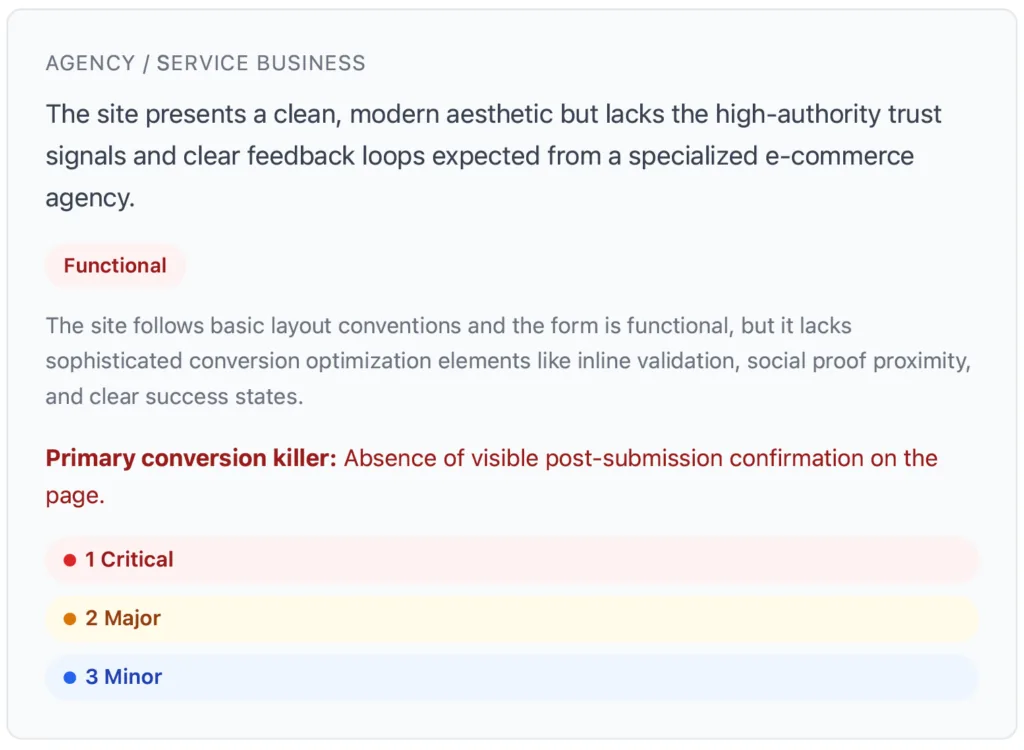
Turn every website test flow into a polished, client-ready UX and CRO audit. Once a flow has run at least once, you can generate AI-powered reports that uncover usability friction, accessibility gaps, and conversion opportunities. Each finding is presented in clear visual cards with business impact tags and practical next steps, so teams can prioritize improvements quickly. Reports are easy to export as PDFs or share directly with clients, making them useful for both continuous optimization and new business conversations.
Test Failure Summaries
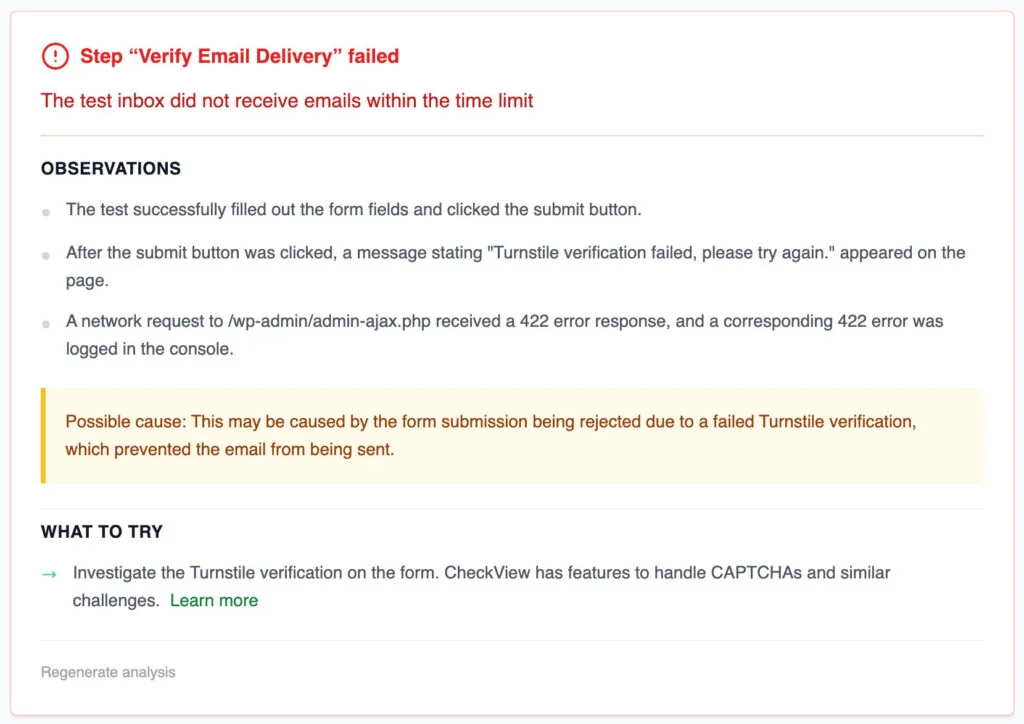
When a test fails, identifying the root cause is not always straightforward. Select “Get Detailed Analysis” on any failed test or step generation to receive an AI-powered explanation of what likely occurred and why. These summaries include screenshot analysis and missing-step detection, helping teams diagnose issues more quickly and resolve failures with greater confidence.
REST API
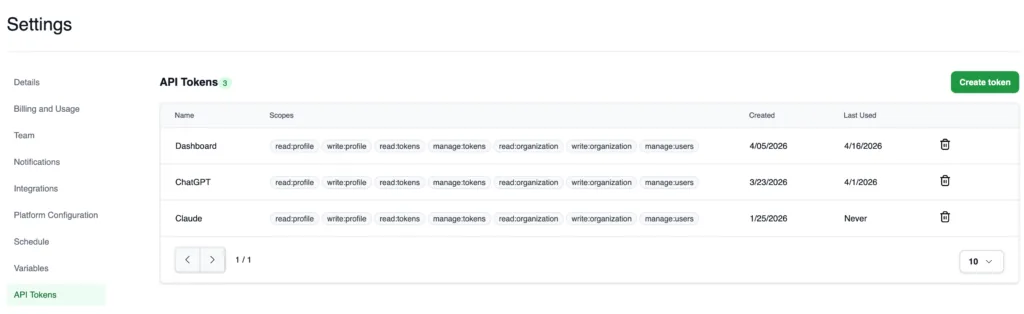
CheckView now offers a comprehensive REST API for programmatic management of websites, test flows, and test results. Teams can generate API tokens directly from the dashboard, integrate CheckView into CI/CD pipelines, and build custom automated workflows with ease. The API includes support for pagination, filtering, and idempotency to ensure reliable, scalable automation. It is well suited for organizations that want to embed CheckView into internal dashboards, automated email reporting, or AI-driven operational workflows.
Abort Tests
You can now abort running tests and in-progress step generation at any time. No more waiting for a stuck or misconfigured test to finish. Hit abort and move on. Aborted tests are tracked in your test history.
Blocker Detection
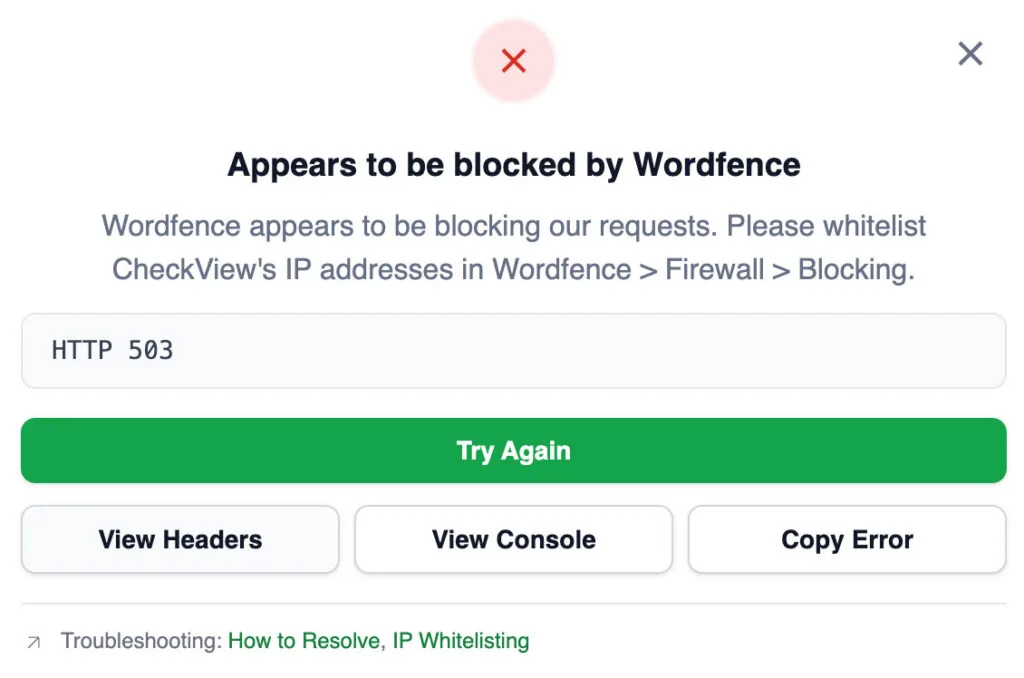
CheckView now automatically detects when security plugins or firewalls (like Wordfence, Sucuri, SolidWP, etc.) are blocking you from adding a website or starting a test. When possible, you’ll see a clear error message telling you exactly what’s blocking CheckView and how to whitelist it.
Coming Soon
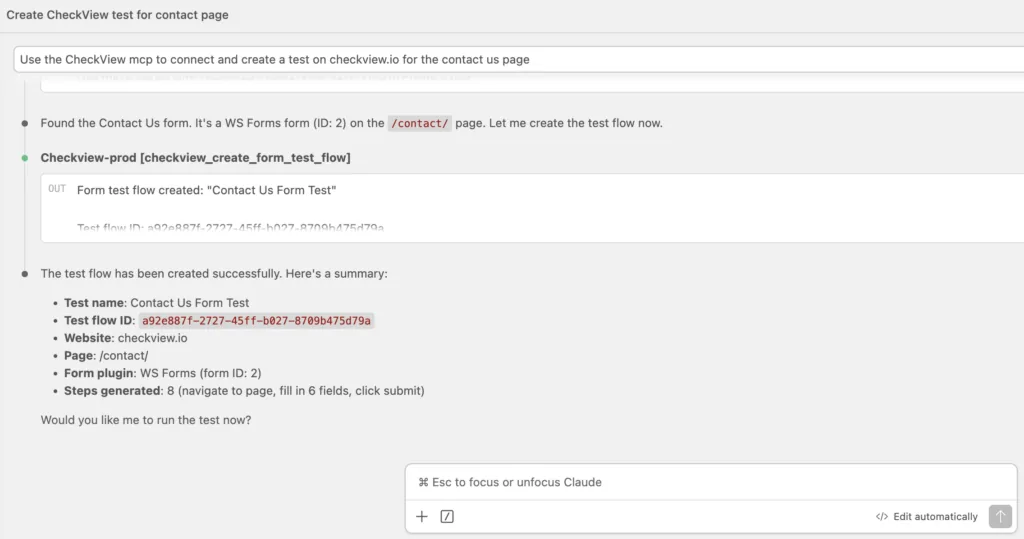
- MCP Server: Use our MCP server package to integrate CheckView directly with AI coding assistants such as Claude Code and Cursor. This enables teams to plan and run tests, create test flows, and diagnose issues from within their preferred AI chat environment.
- International WooCommerce Checkout: CheckView can now test WooCommerce stores with customers from all 249 countries, including updated support for WooCommerce’s newer block checkout selectors.
- Upload File Step: A new step type that automatically detects file upload fields in your forms, selects the right sample file based on what the field accepts (images, PDFs, documents), and verifies the upload went through. No manual configuration needed.
As always, we love hearing your ideas and feedback. Contact us to get started testing today.